How Smart Dwelling Gadgets Receive New Software Wirelessly
Wireless Software Updates allow smart dwelling gadgets to receive new capabilities, bug fixes, and security improvements without requiring an owner to connect a cable or replace the device. Behind this convenience is a coordinated process involving software packages, network connections, device authentication, compatibility checks, and recovery mechanisms. Understanding these layers is especially useful when a smart home includes cameras, sensors, thermostats, connected locks, and an IoT gateway device that coordinates communication between different products.
Not every wireless update works the same way. Some devices download software directly from a manufacturer's server, while others receive instructions through a mobile app or a local gateway. The best approach depends on the device's processing power, network reliability, security requirements, and the consequences of an interrupted installation. These differences explain why an update that takes seconds on one gadget might require several stages and a maintenance window on another.
1. Comparing the Main Wireless Update Methods
Before examining the technical process, it helps to distinguish the most common delivery methods. They can all support over-the-air updates, but they place different responsibilities on the internet connection, gateway, mobile application, and target device.
Direct cloud-to-device delivery
In a direct arrangement, a gadget connects to a manufacturer's update service through Wi-Fi, Ethernet, or another internet-enabled network. The service identifies an eligible software release, and the device downloads the package or receives instructions to retrieve it. This approach is common for products with sufficient processing power and a dependable internet connection.
Its main advantage is simplicity at the network level. The device can communicate with the update service without relying on a separate home automation hub to relay the software. However, the gadget must implement secure communication, verify downloaded files, and manage failures itself. Devices with limited memory or unreliable connectivity may need additional safeguards.
Gateway-assisted delivery
A gateway-assisted arrangement uses an IoT gateway device to coordinate communication between the internet and connected equipment. The gateway might download an update, forward it to a compatible sensor, or manage an update schedule for a group of devices. Depending on the architecture, the gateway can also verify device identities, report progress, and help maintain communication when individual gadgets use a low-power local protocol.
This method is particularly useful when many small sensors cannot establish direct internet connections. A battery-powered environmental sensor, for example, may communicate with a gateway using a local wireless protocol rather than running a full internet client.
The trade-off is an additional dependency. If the gateway is offline, outdated, or incompatible with a new device firmware version, the update may be delayed. Gateway-assisted delivery also does not automatically make the entire process secure; both the gateway and the target gadget need appropriate authentication and verification controls.
App-mediated delivery
Some products use a mobile application to initiate or coordinate updates. The app might notify the owner, retrieve a package, send instructions to a gateway, or establish a temporary local connection with the gadget. The precise arrangement varies by manufacturer.
App-mediated delivery can make updates easier to understand because users see prompts and progress information on a familiar screen. However, it can introduce dependencies on the phone's operating system, app version, permissions, and proximity to the device. Closing an app may interrupt a transfer in some implementations, although other products continue updating independently after the process begins.
2. The Comparison Criteria That Matter Most
Choosing an update architecture is not simply a matter of selecting the fastest download. A reliable design must balance several criteria, and the right balance depends on what a device does and how easily it can recover from a failure.
- Connectivity: Determine whether the device has direct internet access, communicates only with a gateway, or requires a nearby phone.
- Security: Check whether software authenticity is verified independently of the network connection. An encrypted connection alone does not prove that a downloaded package is authorized.
- Resource requirements: Consider available storage, memory, battery capacity, processor speed, and the size of the update.
- Recovery capability: Establish whether the device can return to a working software version if installation fails.
- Operational impact: Identify whether an update could interrupt monitoring, heating schedules, alarms, access control, or other essential functions.
- Fleet management: For homes with many devices, consider whether updates can be scheduled, tracked, staged, and reported centrally.
- Long-term support: Confirm that the manufacturer has a practical process for distributing security fixes and maintaining compatibility.
These criteria often conflict. A direct cloud connection can reduce dependence on a gateway, but it may consume more power on a small device. A gateway can simplify the management of hundreds of sensors, but it becomes another component that must be patched and protected. An app can provide useful visibility, but it should not be the only source of software authenticity checks.
3. Wireless Update Methods at a Glance
The following table compares the main approaches by their operational strengths, dependencies, and common limitations. Actual capabilities depend on the manufacturer's implementation rather than the delivery method alone.
The key distinction is where coordination happens, not whether one method is universally safer. A well-designed direct update system can be more secure than a poorly maintained gateway system, and a gateway can improve reliability when it manages constrained devices carefully. Regardless of the route, the target device should independently establish that the software is appropriate and authentic before trusting it.
4. What Happens During a Wireless Software Update?
Although interfaces differ, a typical update follows a sequence of related technical steps. Each stage addresses a separate problem, from deciding whether a release applies to a device to ensuring the gadget can start again after installation.
Step 1: The device checks for an available release
The device, gateway, or supporting application contacts an update service or checks a locally available update catalog. The service may use information such as the device model, hardware revision, installed firmware version, region, and release channel to determine eligibility.
This information prevents a gadget from receiving software intended for a different model. For example, two visually similar sensors may use different radio chips or memory configurations. A firmware package designed for one revision might fail on the other or make it unusable.
Step 2: The update service provides package information
The device receives information about the available release, which may include a version number, package size, compatibility rules, cryptographic hash, and digital signature. Some systems also provide release notes or instructions describing required intermediate versions.
The device can use this information to estimate whether it has enough storage, whether its battery meets the required threshold, and whether an update should be postponed. Not every product exposes these checks to the owner, but the underlying safeguards are important.
Step 3: The software package is transferred
The package travels over a supported network connection. Internet-based systems commonly use encrypted transport protocols to protect communications from interception and unauthorized modification in transit. A gateway may receive the package once and distribute it locally, or each device may retrieve its own copy.
Large devices can often download software in one session. Constrained sensors may require smaller packages, compressed data, or segmented transfers. If connectivity fails, a robust implementation can resume from a verified point or restart safely without treating an incomplete file as installable software.
Step 4: The device verifies authenticity and integrity
After receiving the package, the device checks whether it is intact and authorized. A cryptographic hash can detect changes to package contents when compared with a trusted expected value. A digital signature provides stronger assurance that the package was approved by the holder of the corresponding signing key.
These mechanisms serve different purposes. A hash by itself does not establish who created a package if an attacker can replace both the file and the expected hash. A signature can establish authenticity when verification keys are properly protected and trusted. The device should reject a package that fails verification rather than attempting to install it.
Step 5: Installation begins under controlled conditions
Once verification succeeds, the device prepares the new software. It may stop nonessential tasks, check available power, save configuration information, or enter a dedicated update mode. Some devices write new firmware to a separate memory area while continuing to preserve the currently working version.
Installation may require a reboot. During this period, a camera might temporarily stop streaming, a thermostat might briefly lose remote connectivity, or a sensor might become unavailable to the home automation platform. The expected interruption depends on the device and the update design.
Step 6: The device tests the new software
After installation, the device starts the new version and may run self-checks. These can include confirming that essential services start, memory is accessible, network communication works, and required hardware components respond correctly.
Some systems use a trial-boot arrangement. The device starts the new firmware provisionally and marks it as successful only after a defined health check. If startup fails or the device cannot confirm that the new version works, a bootloader may restore a previous working image. This capability must be designed in advance; not every device supports automatic rollback.
Step 7: The update status is reported
Finally, the device or gateway reports its installed version and current status. A dashboard may show completion, a pending reboot, a failed transfer, or a compatibility problem. The owner should be able to distinguish a package that has downloaded from one that has actually been installed and verified.
A successful download is not the end of the process. The new software must start correctly, preserve required settings, reconnect to the home network, and resume its intended functions.
5. Why the IoT Gateway Device Matters
An IoT gateway device can be the organizing point for an ecosystem containing products that use different local wireless protocols. It may connect Wi-Fi devices, low-power mesh sensors, and other compatible equipment to a shared home automation platform. In an update workflow, the gateway can translate commands, coordinate transfer timing, and report device status.
Consider a home with a gateway, several door sensors, and a temperature sensor. The sensors may lack the resources to maintain continuous internet connections. The gateway can obtain update metadata, determine which devices are eligible, and communicate with them when they are reachable. It may also schedule transfers to reduce unnecessary radio activity or avoid updating several devices simultaneously.
However, the gateway is not necessarily the component that installs the firmware. Some systems use the gateway only to forward data while each sensor performs signature verification and installation independently. Other architectures allow the gateway to manage more of the process. The documentation should make clear which component verifies the package, which component controls the update, and which component is responsible for recovery.
Gateway management also creates a concentration of risk. If the gateway's administrative interface is exposed, its credentials are weak, or its own firmware is outdated, an attacker may gain an opportunity to interfere with connected devices. The gateway should receive security updates, use strong authentication, restrict administrative access, and communicate with devices through appropriately protected channels.
6. Which Update Approach Fits Different Smart Homes?
The right architecture follows from the devices' actual needs. Rather than assuming that a single delivery method is best, match the approach to the available network, hardware constraints, and impact of an interruption.
Choose direct delivery when devices have reliable internet access
Direct cloud delivery is a practical fit for a camera, smart display, or thermostat that already maintains a stable network connection and has enough storage to handle firmware packages. It reduces the need for a separate update coordinator and can make release management straightforward.
Choose this approach when the device can authenticate the update service, verify signed packages, and recover from failed installations. If a device has limited battery capacity or must remain available continuously, examine its scheduling and recovery features before assuming direct delivery will be trouble-free.
Choose gateway assistance when devices are resource-constrained
Gateway-assisted delivery makes sense when sensors communicate through a local protocol, have limited power, or need coordinated management. It is particularly useful when an ecosystem includes many similar devices and a central controller can track their firmware versions.
However, do not assume that every sensor can be updated whenever the gateway is available. A sleeping sensor may only listen during scheduled intervals, and a battery-powered device may defer an update until its energy level is sufficient. If an update must be installed urgently, the system may need a controlled wake-up procedure or a supported alternative connection.
Choose app mediation when guided interaction is important
An app-mediated process can suit devices that require a person to approve a change, remain nearby, or follow a specific setup sequence. It can be useful during initial configuration and for products without an always-on network connection.
This arrangement is less suitable when the phone must remain connected for a long transfer but the owner cannot stay nearby. Before starting, confirm whether the app must remain open, whether the screen can lock, and whether the gadget continues installation after the transfer ends. If updates must happen automatically across a large fleet, a centrally managed service may be more practical.
Consider a hybrid approach for mixed ecosystems
A smart home does not have to use one update method for every product. Cameras may update directly from the cloud, low-power sensors may rely on a gateway, and a newly installed device may use an app for initial setup. The important requirement is consistent security and status reporting across the different routes.
For an essential device, prioritize a verified update process and a tested recovery path over a marginal improvement in download speed. For a low-risk accessory, convenience may be a more important consideration, provided the manufacturer still delivers authenticated software and supports the product over time.
7. Security Layers That Protect Wireless Updates
Wireless updates introduce a powerful capability: changing a device's behavior remotely. That capability also makes software delivery a security-sensitive operation. A secure design relies on several independent controls rather than assuming that one encrypted connection is sufficient.
- Transport protection: Use authenticated, encrypted communications where supported to reduce interception and tampering during transfer.
- Signed firmware: Verify that a trusted signing key authorized the package before installation.
- Protected verification keys: Store trust anchors in a way that prevents ordinary software from silently replacing them.
- Access control: Restrict who can initiate updates, change update policies, or administer the gateway.
- Version protection: Use anti-rollback controls where appropriate to prevent attackers from forcing a device onto a known-vulnerable release.
- Recovery protection: Preserve a trustworthy recovery mechanism that cannot be casually overwritten by an unverified package.
- Audit and status reporting: Record relevant version changes, failures, and administrative actions without exposing unnecessary sensitive information.
Anti-rollback controls need careful design. Blocking older firmware can prevent a downgrade attack, but it can also make recovery harder if a newly released version has a serious defect. A robust policy distinguishes legitimate recovery from unauthorized downgrades and defines how emergency fixes are handled.
Privacy deserves attention as well. Update services may need device identifiers, firmware versions, and connection status to determine eligibility. Those records should be limited to what the service needs, protected in transit and at rest where applicable, and retained according to a reasonable policy.
Warning: Do not interrupt a critical update without checking the device instructions.
Disconnecting power, removing batteries, resetting a gateway, or forcing a reboot during installation can leave some devices unable to start. If an update appears stuck, first check the manufacturer's stated installation time and troubleshooting procedure. Do not repeatedly power-cycle the device unless the documented recovery process calls for it. For connected locks, alarms, heating controls, and other essential equipment, establish a safe operating plan before beginning maintenance.
8. Common Failure Points and Practical Troubleshooting
A wireless update can fail at several distinct stages, and the correct response depends on where the process stopped. A failed download is different from a failed installation, and neither necessarily means the device is permanently damaged.
One important exception is a legitimate staged rollout. Manufacturers sometimes distribute releases to a limited group before expanding availability. If one compatible gadget receives an update while another does not, the difference may reflect the release schedule rather than a network failure.
Another common misunderstanding involves version numbers. A device may download a package and then report its previous version because installation has not completed or a reboot is still pending. Conversely, a version number may change even when a critical service fails to start. Confirm both the reported version and the device's working status before considering the process complete.
9. A Practical Checklist Before and After Updating
Use this checklist to reduce avoidable interruptions and make it easier to confirm that a wireless update has genuinely succeeded.
- Identify the exact device model and hardware revision.
- Read the release notes for compatibility requirements, known issues, and expected interruptions.
- Confirm that the device, gateway, and relevant application meet the required software versions.
- Check Wi-Fi or local network stability and confirm that the gateway is online if the architecture requires one.
- Provide adequate power. Replace low batteries or connect approved power supplies when the manufacturer recommends doing so.
- Confirm that sufficient storage is available if the device exposes that information.
- Back up important settings or document schedules that would be difficult to recreate.
- Choose a suitable maintenance window for devices that affect access, safety, or household routines.
- Start the update through the manufacturer's supported interface.
- Wait for the installation and any required restart to finish before disconnecting power.
- Confirm the installed version and check that essential functions work.
- Review gateway or app status for devices that remain pending or report errors.
- Keep the recovery instructions accessible until the system has returned to normal operation.
This checklist is deliberately conservative. A simple light bulb may need little preparation, while an access-control device or central gateway deserves more attention. If the manufacturer supports automatic updates, review the scheduling and notification settings rather than assuming that automatic installation removes the need for oversight.
10. Frequently Asked Questions About Wireless Software Updates
What does OTA mean in smart home technology?
OTA stands for over-the-air. It describes the wireless delivery of software, firmware, configuration packages, or related update data to a device. The term identifies the delivery method, not a specific protocol or security guarantee.
Do smart home gadgets need an internet connection to update?
Not always. Many products retrieve updates from an internet service, but some can receive software from a local gateway, phone, or authorized local management system. The device still needs a trusted way to obtain and verify the update package.
Can a wireless update damage a device?
A failed or incompatible update can make a device temporarily unusable, and in poorly protected systems it can leave the device unable to start. Compatibility checks, signed firmware, safe installation procedures, and recovery mechanisms reduce this risk. No update method can eliminate every possible failure.
Will an update erase my settings?
Many updates preserve user settings, schedules, and network configuration, but this is not guaranteed. Major software changes may require configuration migration or a reset. Check the release notes and back up important settings when a supported backup feature is available.
Why does a sensor need a gateway for an update?
A sensor may use a low-power wireless protocol that does not provide direct internet access. The gateway acts as a communication bridge and may coordinate the transfer. The sensor itself should still perform the security checks required by its update architecture.
Are automatic updates safer than manual updates?
Automatic updates can shorten the time between the release of a security fix and its installation, but safety depends on the implementation. A good system verifies software, manages failures, and reports status. Manual updates provide more control over timing, but they can leave devices unpatched if users repeatedly postpone them.
Can I use a third-party firmware package?
Only when the device manufacturer or a trustworthy project explicitly supports that package and provides a documented installation and recovery procedure. An unofficial file may be incompatible, unsigned, or designed for different hardware. Never disable signature checks simply to force an installation.
What should I do if an update fails?
Determine whether the failure occurred during download, verification, installation, or restart. Check connectivity and power, review the device's status messages, and follow its documented recovery instructions. If package verification fails, do not bypass the security check. Contact the manufacturer if the device remains unavailable or the recommended recovery procedure is unclear.
11. Putting the Pieces Together
Wireless software updates are best understood as a chain of responsibilities rather than a single download. An update service identifies an appropriate release, a network or gateway transports the package, cryptographic checks establish whether the software is trustworthy, and the device installs and tests it. Status reporting and recovery mechanisms then help confirm whether the gadget has returned to a healthy operating state.
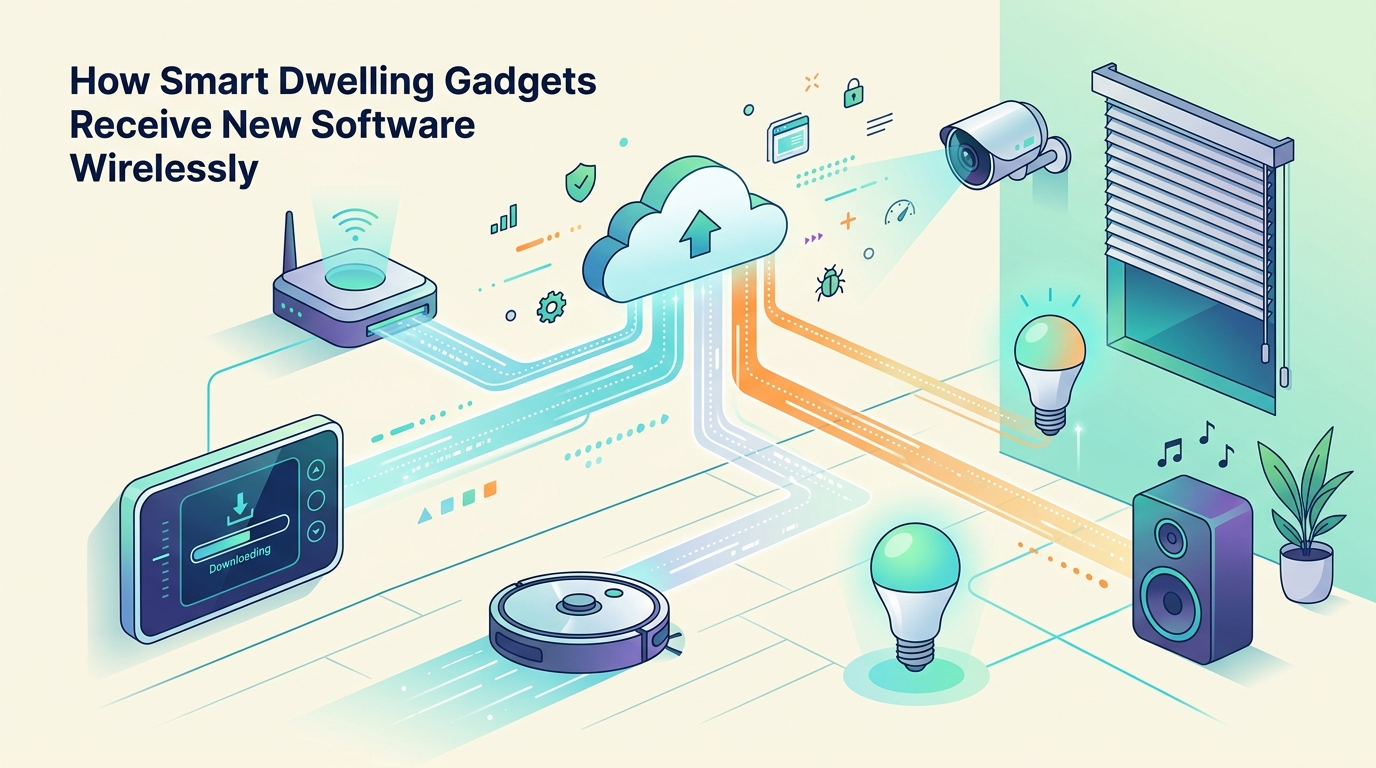
The comparison between direct, gateway-assisted, and app-mediated delivery reveals an important principle: convenience, connectivity, and security must be evaluated together. Direct delivery suits many internet-connected products. Gateway assistance is often practical for low-power sensors and coordinated ecosystems. App mediation can simplify guided procedures, although it may introduce dependencies on a phone or local connection.
For a mixed smart home, the most sensible architecture may combine all three. What matters is that each route has clear compatibility rules, authenticated software, protected installation, and a defined response to failure. A gateway should not be treated as a substitute for device-level verification, and a successful download should never be confused with a verified installation.
Owners can improve reliability by keeping gateways and applications supported, reviewing release notes, providing stable power and connectivity, and checking the final device status. For critical equipment, maintenance timing and recovery planning deserve as much attention as the update itself. When these practices are built into the routine of managing a connected home, wireless updates become a controlled maintenance process rather than an unexplained interruption.
The ultimate goal is not simply to make software arrive without a cable. It is to ensure that every connected gadget receives the right software, accepts only trusted changes, recovers sensibly when something goes wrong, and continues to perform the job for which it was installed.


Comments
Post a Comment