The Hidden Hurdles of Integrating Different Smart Home Brands
Smart home brand integration promises a connected living space where lights, locks, sensors, thermostats, speakers, and appliances work together instead of operating as separate islands. Yet adding devices from different manufacturers can introduce unexpected problems, even when every product is advertised as smart or compatible with a popular platform. The difficulty is not simply connecting devices to Wi-Fi. It is getting different communication protocols, software platforms, automation rules, and security policies to cooperate reliably.
For homeowners, the difference between a genuinely connected home and a collection of disconnected gadgets often comes down to decisions made before installation. Understanding compatibility, diagnosing problems systematically, and recognizing when additional hardware is unnecessary can prevent wasted money and frustrating workarounds. The goal is not to make every device communicate with every other device. It is to build a dependable ecosystem around the functions that matter most.
Why Smart Home Brand Integration Is More Complicated Than It Looks
A smart device can connect to a network without being able to participate in every automation. For example, a connected light bulb might work perfectly in its manufacturer's mobile app but remain unavailable to a motion sensor managed by another platform. Both products may have internet access, yet their software does not necessarily expose the same controls or events to other systems.
Several compatibility layers determine whether devices can cooperate:
- Physical and network connectivity: Devices must use a communication method supported by the network, controller, or bridge they depend on.
- Protocol compatibility: Products using Wi-Fi, Zigbee, Z-Wave, Bluetooth, or Thread do not automatically communicate directly with one another.
- Application programming interfaces: A platform needs access to the device's functions through a supported integration, API, bridge, or equivalent mechanism.
- Feature compatibility: A connection may expose basic functions while leaving advanced features, such as adaptive lighting, energy reporting, or detailed sensor states, unavailable.
- Account and cloud dependencies: Some integrations require manufacturer accounts, internet access, authorization tokens, or cloud services to remain operational.
These layers explain why a compatibility badge should be treated as a starting point rather than a guarantee. A device may work with a voice assistant for simple commands but fail to expose the same functions to a local automation engine. Likewise, two products may support the same standard while implementing different optional features.
The difference between connectivity and interoperability
Connectivity answers whether a device can join a network or controller. Interoperability answers whether that device can exchange meaningful information and perform useful actions with other devices.
Consider a door sensor and a smart light. Both may appear in one smart home app, but the light will not necessarily turn on when the door opens. The platform must recognize the sensor's open and closed states, allow those states to trigger an automation, and send an appropriate command to the light. If any part of that chain is missing, the devices can appear connected while the intended experience remains unavailable.
This distinction also matters when evaluating smart home hubs. A hub may support several radio protocols but still lack integrations for particular manufacturers. Radio support, device discovery, feature exposure, and automation support are separate capabilities.
Diagnose the Hidden Compatibility Problems Before Changing Anything
When an automation stops working, adding another hub or replacing a device is rarely the best first move. Start by identifying exactly where communication breaks down. A structured diagnosis helps separate network problems from platform limitations and device-specific issues.
1. Identify the communication path
Write down how each device reaches the system that controls it. A Wi-Fi plug may connect directly to a router, a Zigbee sensor may connect through a coordinator, and a Thread device may depend on a compatible Thread border router. A product can also rely on a manufacturer's bridge before its functions become available to another platform.
Check whether the intended controller supports the device's protocol and whether a required bridge is present. A hub with Zigbee support, for example, does not automatically support every Zigbee device or every manufacturer-specific feature.
2. Confirm the exact compatibility claim
Marketing language often describes a narrower capability than users expect. Look for documentation that identifies the exact device model, supported platform, firmware requirements, and available features. If a product works with a particular voice assistant, confirm whether that means voice control only or full integration with routines, sensors, and device states.
Compatibility may also depend on the product generation. Two devices sold under the same brand name can use different chipsets, software versions, or communication standards. A generic statement that a brand supports a platform is not enough to establish that every model does.
3. Separate local control from cloud control
Some systems process commands within the home, while others send requests through remote manufacturer servers. Cloud-based control can be convenient, but it introduces additional dependencies, including internet availability, account authorization, service uptime, and changes to vendor APIs.
If a light responds to its manufacturer's app but an automation fails when the internet connection drops, the issue may be the automation's reliance on cloud services rather than the light itself. Conversely, a locally controlled device can still fail if the local coordinator, router, or automation server is unavailable.
4. Examine permissions, firmware, and device states
Integrations can stop functioning after a password change, revoked authorization, firmware update, or platform migration. Some systems also require explicit permission to expose devices to third-party applications.
Check whether the controller reports the device as online, whether its current state is accurate, and whether commands work directly from the controlling platform. If direct commands succeed but an automation does not, investigate the trigger, conditions, timing, and action sequence before blaming the radio connection.
No-Cost Fixes That Resolve Many Integration Problems
Many compatibility complaints are caused by configuration mistakes rather than fundamentally incompatible hardware. The following checks can restore functionality without buying a new controller or replacing working devices.
- Refresh device discovery: Reload the integration or initiate a new device scan when the platform supports it. Some devices will not appear until discovery runs again.
- Verify network credentials: Confirm that Wi-Fi devices can reach the correct network and that router changes have not separated them from required controllers.
- Check the actual automation trigger: Confirm that the sensor reports the expected state and that the rule uses the correct event or condition.
- Review permissions: Reauthorize an integration if access has expired or been revoked. Use the manufacturer's documented recovery process rather than repeatedly creating new accounts.
- Update selectively: Check release notes and known compatibility issues before updating the device, hub, or integration. Avoid changing every component at once.
- Reduce duplicate controls: If multiple platforms manage the same automation, temporarily disable overlapping routines to identify conflicting commands.
- Improve radio placement: Move a hub or coordinator away from metal enclosures, crowded electronics, and obstructed locations where practical.
- Restart strategically: If necessary, restart the affected device or controller after recording its current state. Avoid factory resets until simpler recovery options have been exhausted.
A useful troubleshooting rule is to change one variable at a time. If the device, router, hub, and automation are all modified simultaneously, it becomes difficult to determine which change actually solved the problem.
Use a simple fault-isolation sequence
Begin with the device itself. Does its physical control work? Can its native application operate it? Does the central platform show accurate status? Can that platform issue a direct command? Finally, does the automation execute correctly?
Each successful step narrows the likely problem. If the native app fails, investigate the device, its network, or its manufacturer's service. If the native app works but the central platform cannot control it, investigate the integration. If direct control works but an automation fails, concentrate on triggers, conditions, permissions, and execution timing.
Understand IoT Standards Before Choosing a Different Solution
Internet of Things standards provide a common foundation for communication, but they do not eliminate every integration challenge. Understanding the roles of major technologies helps determine whether a problem requires a different configuration, a bridge, or a new controller.
The table highlights an important distinction: Thread is a networking technology, while Matter defines an application-level approach to interoperability. A Thread device does not automatically support Matter, and a Matter device does not necessarily use Thread. Matter can operate over supported network transports, including Ethernet, Wi-Fi, and Thread, depending on the device.
Zigbee and Z-Wave remain useful in many established smart homes. Replacing an existing network simply because newer standards exist can create unnecessary expense, especially when the current system is stable. A new standard is valuable when it solves a real compatibility or maintenance problem, not merely because it is newer.
When a Smart Home Hub or Integration Tool Actually Helps
A smart home hub can consolidate supported devices, provide automation logic, and reduce the number of applications a household needs. However, it is not a universal translator for every proprietary protocol or device feature.
Before introducing a hub, determine which specific gap it will close. If a sensor uses Zigbee and the existing controller has no compatible Zigbee radio, a supported coordinator or hub may be necessary. If all devices already connect successfully but the automation is configured incorrectly, new hardware is unlikely to help.
Choose the least complicated architecture that meets the goal
There are three common approaches to cross-brand integration:
- One primary platform: Use a single supported ecosystem for everyday controls and automations. This is often the simplest approach when all essential devices are supported.
- A multi-protocol hub: Use a central controller that supports the required radio technologies and integrations. This is useful when devices use different protocols or need more flexible automation logic.
- A bridge or specialized integration: Connect a particular device family to the main platform through a compatible bridge, local integration, or supported cloud connection. This can preserve existing hardware without replacing the entire ecosystem.
A local automation platform may offer greater control over device states, complex rules, and privacy-sensitive routines. The trade-off is additional setup, maintenance, and troubleshooting responsibility. A managed cloud platform may be easier for a household to maintain, but it can depend on an internet connection and vendor policies.
Choose local processing when internet-independent operation is essential and the necessary functions are supported. Choose a cloud-dependent arrangement when its convenience outweighs the dependency and the household can tolerate potential service interruptions. Neither approach is automatically superior for every home.
Know when a bridge is enough
A bridge is often a sensible solution when one existing device family cannot communicate directly with the primary platform. It may expose supported functions without requiring replacement of the original devices.
However, bridges add another component that needs power, firmware maintenance, and network connectivity. They may also expose only a subset of available features. If the only missing function is an advanced effect or a manufacturer-specific setting, confirm that the bridge supports that feature before investing time or money.
Pre-Purchase Checks That Prevent Unnecessary Hardware Spending
Before buying a smart home hub, a replacement sensor, or a new generation of connected lighting, define the precise problem you want to solve. This is the point where careful compatibility research provides more value than adding another device to an already complicated system.
Check the complete integration path
Do not evaluate a proposed device in isolation. Trace the intended path from the device to the automation that will use it. Verify the radio or network requirements, the required controller, the supported platform, and the exact features available to that platform.
For example, if a new presence sensor is intended to activate a light, confirm that the platform can receive the sensor's relevant occupancy state and control the target light. If the sensor reports only motion rather than sustained occupancy, it may not deliver the intended behavior even when the connection succeeds.
Use decision rules instead of buying by default
- If all required devices are already visible and directly controllable, troubleshoot the automation before purchasing another hub.
- If a device uses an unsupported radio protocol, consider a compatible coordinator or bridge before replacing the device itself.
- If the integration supports only basic commands, decide whether those commands meet the actual requirement. Replace the device only if a missing feature is genuinely necessary.
- If the desired routine must work during an internet outage, verify local execution and local device control before choosing a cloud-dependent integration.
- If the household relies on a single manufacturer's advanced features, keeping that product family within its native ecosystem may be more practical than forcing every function into one platform.
- If the existing setup is stable and the proposed change solves no specific problem, postpone the purchase. Compatibility complexity is itself a maintenance cost.
Compare total cost with practical value
The purchase price of a hub is only one part of the cost. Account for additional bridges, replacement devices, subscriptions, setup time, ongoing updates, and the possibility of maintaining multiple applications.
A low-cost bridge may provide excellent value if it restores an essential automation using devices already installed. It may offer poor value if it introduces recurring fees or fails to expose the feature that prompted the purchase. Similarly, an expensive all-in-one controller may be unnecessary for a home that needs only a few straightforward lighting routines.
Think in terms of the cost per useful outcome rather than the number of devices integrated. A setup that reliably performs three important routines may be more valuable than one that nominally connects dozens of devices but requires frequent manual intervention.
Practical Checklist for a More Reliable Multi-Brand Ecosystem
Use this checklist before expanding the system or making a major configuration change.
- Identify every device's exact model and current firmware version.
- Record whether each device uses Wi-Fi, Zigbee, Z-Wave, Thread, Bluetooth, or a proprietary connection.
- Confirm the primary platform supports the specific device model, not just the manufacturer.
- Check whether a required bridge, coordinator, or Thread border router is available and correctly configured.
- Distinguish direct control from full automation and feature support.
- Identify which routines must continue working during internet or cloud-service outages.
- Test device states and direct commands before modifying automation rules.
- Review overlapping routines and eliminate unnecessary duplicate automations.
- Check firmware release notes and integration requirements before updating critical devices.
- Keep a written record of working configurations and recovery steps.
- Confirm that the household can still use essential lights, locks, and other critical devices if the central platform becomes unavailable.
- Set a clear requirement that any new purchase must satisfy before spending money.
The checklist is especially useful in homes that have expanded gradually. A device added for one purpose may later become part of a larger automation, revealing an integration limitation that was not relevant during the original installation.
Usage Cautions: Security, Reliability, and Maintenance
Cross-brand integration introduces operational risks that extend beyond whether an automation works. More integrations can mean more permissions, accounts, network connections, update dependencies, and potential points of failure. These risks do not make a multi-brand home inherently unsafe, but they justify deliberate configuration and maintenance.
Caution: Do not make essential home functions depend on an untested automation.
Test lighting, entry systems, alarms, and other important functions under realistic failure conditions. Preserve the normal manual controls and manufacturer-supported safety features. Do not assume that a cloud connection, hub, wireless network, or third-party integration will always be available. Never disable built-in safety mechanisms simply to make devices cooperate.
Protect accounts and network access
Use strong, unique passwords and multifactor authentication wherever supported. Grant integrations only the permissions they need, and remove obsolete connections when devices or platforms are retired. A third-party service that can access a smart lock or security camera deserves more scrutiny than a service that only changes decorative lighting.
Network segmentation can help separate IoT devices from personal computers and other sensitive equipment, but it must be configured carefully. Some devices depend on local discovery, multicast traffic, or communication with a controller across network boundaries. Incorrect segmentation can break integration without improving security as much as expected.
If you isolate IoT devices, verify the required communication paths and avoid opening broad network access simply to make discovery easier. Use documented router and platform guidance to allow the necessary traffic while keeping unrelated devices separated where practical.
Plan for updates and service changes
Firmware updates can improve security and reliability, but they can also change device behavior or integration requirements. Cloud integrations may be affected when manufacturers change APIs, authentication methods, or service policies. A system that works today can therefore require maintenance later.
Before updating a critical component, review known issues and confirm that a recovery method is available. For complex local systems, keep a current configuration backup if the platform supports it. Record which automations depend on a particular integration so that a failure can be traced quickly.
Redundancy should also be intentional. Two controllers managing the same device may create conflicting commands, while a carefully designed backup control path can improve resilience. The distinction is whether the extra component provides a defined recovery benefit or merely adds another source of complexity.
Common Integration Mistakes and Better Alternatives
Some recurring mistakes arise from assuming that more connected hardware automatically creates a better ecosystem. A more reliable strategy is to reduce uncertainty before adding complexity.
- Mistake: Treating all devices that support Matter as identical. Better approach: Check the supported device type, available features, commissioning requirements, and platform-specific limitations.
- Mistake: Buying a hub solely because it supports multiple radio protocols. Better approach: Confirm support for the exact device and the automation functions you need.
- Mistake: Replacing a working device because it does not appear in one app. Better approach: Investigate discovery, integration permissions, bridges, and alternative supported control paths first.
- Mistake: Assuming that a successful app command proves an automation will work. Better approach: Test triggers, conditions, device states, and action execution as separate stages.
- Mistake: Building every routine around a remote service without considering outages. Better approach: Keep essential functions local when the platform and devices support reliable local execution.
- Mistake: Adding multiple platforms without deciding which one owns each automation. Better approach: Establish a clear primary controller and assign responsibilities to secondary integrations.
There are legitimate exceptions to a single-controller approach. A household may need a manufacturer's native application for specialized appliance settings or a separate security platform for dedicated monitoring. The objective is not to eliminate every secondary application. It is to avoid unnecessary duplication and ensure that each system has a clear purpose.
Frequently Asked Questions About Smart Home Brand Integration
Can smart home devices from different brands work together?
Yes, provided the devices and controlling platforms support a compatible communication path and the required functions. Shared standards such as Matter can simplify interoperability, but specific device capabilities, firmware, bridges, and platform support still matter. Two devices from different brands are not automatically compatible just because both are marketed as smart products.
Does buying a multi-protocol smart home hub solve every compatibility problem?
No. A multi-protocol hub can provide the necessary radios and centralized control, but it may not support every device model, proprietary feature, or manufacturer integration. Verify the exact device and feature requirements before purchasing a hub. If the problem is a misconfigured automation, additional hardware may not help.
Is Matter enough to guarantee that all smart home features will work?
No. Matter provides a common interoperability framework for supported devices and functions, but implementations can differ. A product may expose basic controls while retaining advanced features in its manufacturer's application. Check the specific device type, feature support, firmware, controller, and commissioning requirements.
Why does a device work in its manufacturer's app but not in my main smart home platform?
The native application may use a proprietary connection or cloud service that the main platform cannot access. The integration might also lack permission, fail to discover the device, or expose only selected features. Confirm the supported integration path and whether the missing function is available before replacing the device.
Will a smart home hub make my system work without the internet?
Not necessarily. Local control depends on the hub, device, integration, and automation engine all supporting local operation. Some functions may continue working during an internet outage while cloud-dependent features stop. Test the specific routines you consider essential rather than relying on a general claim of local control.
Should I replace older Zigbee or Z-Wave devices with Matter products?
Only when there is a practical reason. Existing devices may continue to provide reliable service through a compatible controller or bridge. Consider replacement when a required feature is unavailable, maintenance has become difficult, security support is inadequate, or the long-term cost of maintaining the existing integration exceeds the value of keeping it.
How can I tell whether the problem is the device, the network, or the automation?
Test the device's native controls first, then inspect its status in the central platform, issue a direct command, and finally test the automation. Failure at the native-control stage points toward the device, network, or manufacturer service. Failure only in the central platform suggests an integration problem, while failure only in the automation points toward its trigger, conditions, timing, or action sequence.
Is it better to keep every device within one brand?
A single brand or platform can simplify setup and support, especially when advanced features depend on proprietary integrations. However, a multi-brand setup can provide flexibility and preserve existing equipment. Choose the approach that satisfies your essential requirements with the least ongoing maintenance, rather than treating either strategy as universally superior.
Conclusion: Build Around Reliable Outcomes, Not Maximum Connectivity
The real challenge of smart home brand integration is not collecting devices that can connect to a network. It is establishing dependable communication between the devices, controllers, applications, and automation rules that make a home useful. Protocol differences, incomplete feature support, cloud dependencies, permissions, and overlapping control systems can all undermine an otherwise promising setup.
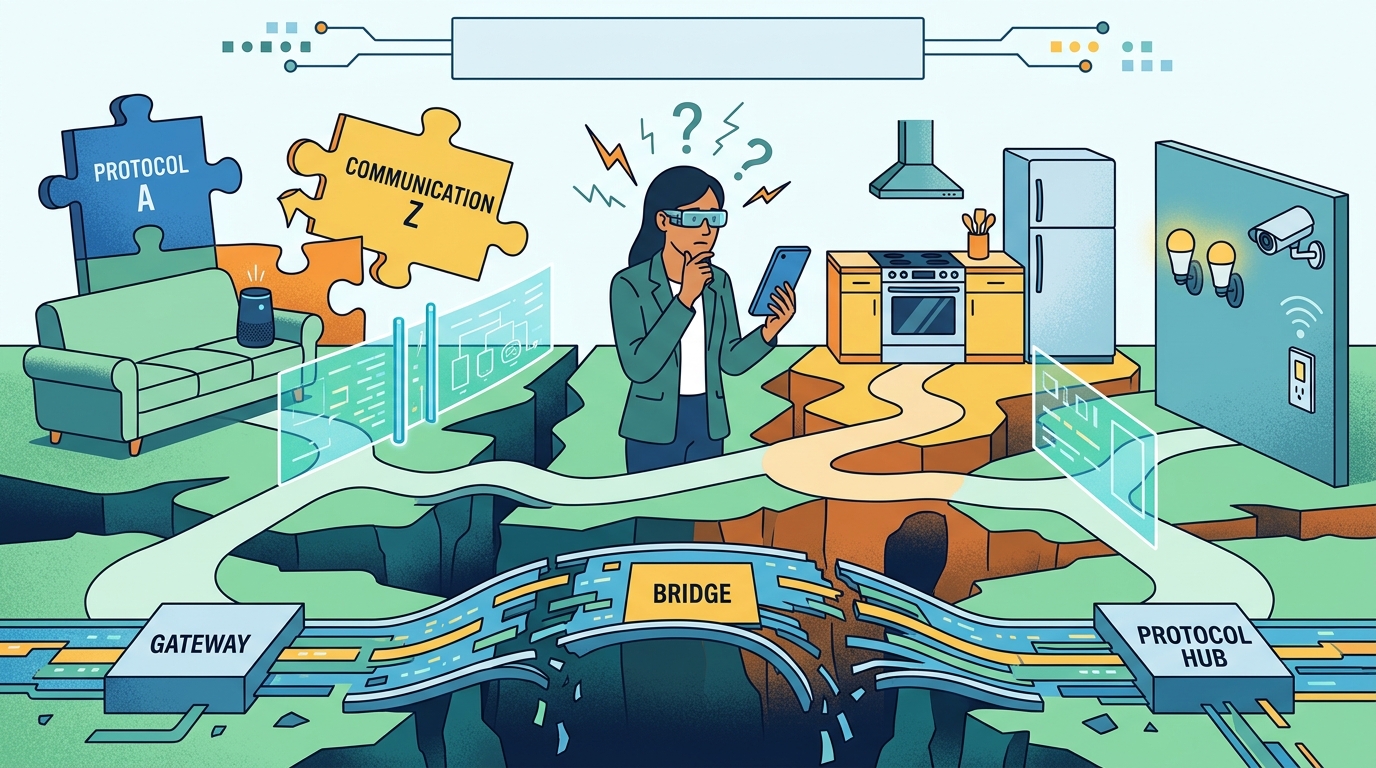
A practical solution begins with diagnosis. Identify the communication path, verify model-specific compatibility, test direct control, and isolate automation failures before purchasing anything. Use a hub, bridge, or specialized integration only when it addresses a defined limitation. When comparing alternatives, weigh not just hardware costs but also setup effort, recurring fees, security responsibilities, and long-term maintenance.
Most importantly, measure success by the routines that work consistently. A carefully maintained ecosystem with a few well-integrated brands can be more useful than a sprawling collection of devices connected through fragile workarounds. By choosing compatible technologies deliberately, preserving essential manual controls, and avoiding unnecessary complexity, homeowners can create a smart home that remains understandable, adaptable, and reliable as new devices are added.


Comments
Post a Comment